Great Text Reader Software for all Text Formats

Text Reader with clear natural voice
If you want your computer to read a text on the screen, you need a program that is a text reader. These programs fall into the category TTS, which stands for Audio reader. To protect the eyes, you do not have to read a text on the computer by yourself, but just have it read aloud, which is easily possible with the software Audio Reader XL. You can read a complete novel or just a Word document. Even a non-fiction book or any text from the Internet can be listened to with this program, which converts text to voice. Audio Reader XL has a clear and easy-to-understand voice output, which is not obvious when you think of other software that is more reminiscent of a robot. When you use a text reader, you can not only listen to texts, but also save them to an audio file, such as MP3.

https://www.ttssoft.org/text-reader/

Read Texts in Windows with the easy to use Text Reader

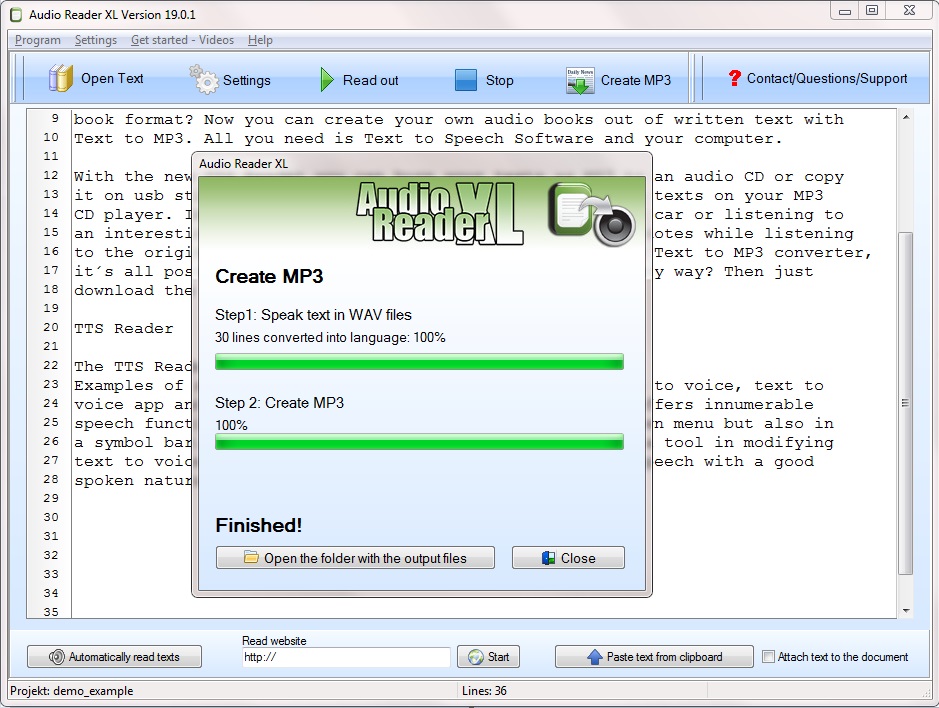
Windows versions from Windows XP can use the Audio Reader XL application to hear a voice with the text reader. Texts can either be read out at the touch of a button or converted into an MP3 file, as Audio Reader XL directly includes a tool for creating audio files. For example, e-books created in audio files using the Audio Reader XL can be played back on your portable MP3 player so that you can listen to them on and independently of a computer. Of course you can burn these files from text reader converted to a DVD or CD and listen to it with the car radio. Even on your smartphone or tablet, you can access these files on the go. The software also allows converting PDF, Word documents or EPUB from text reader.
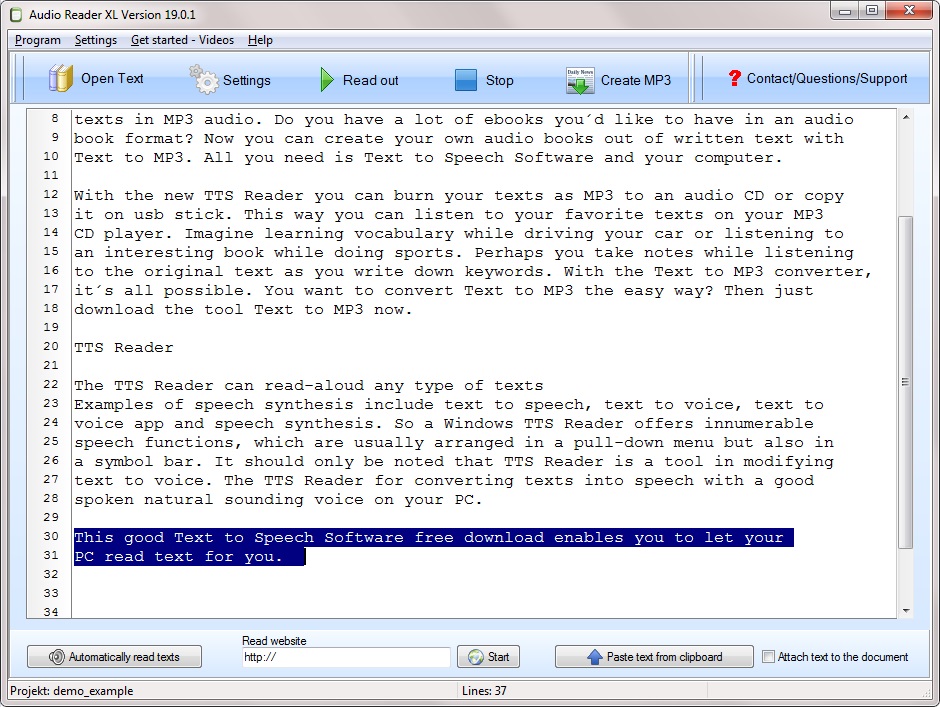
Text ReaderPhoto shows the Text Reader

Text Reader English

If you want to translate a text with the text reader, the Audio Reader XL program allows you to converge texts
Completely automatically have thrillers read or a story translated from text reader when you’re in bed. It is very easy to use the software and to read texts in all formats. If you have created an audio book yourself, convert the text to mp3 and let your friends and acquaintances share it. The conversion from read aloud texts requires only a few mouse clicks. You can also insert pauses in existing texts before they are converted. You can also choose from different reading voices here.

Read aloud Text can solve with Text Reader

The Audio Reader XL reads any text directly to your computer. This cannot be just an existing text. It can also be extracted from an MP3 file. No external audio converter is needed to convert, as all features are already integrated with the TTS conversion software. There is little text reader software with a voice reproduction in this high quality at this cheap price in the market. For different Windows versions you can download from the Internet.
Program To Read Text

Simply program to read text with the text reader software
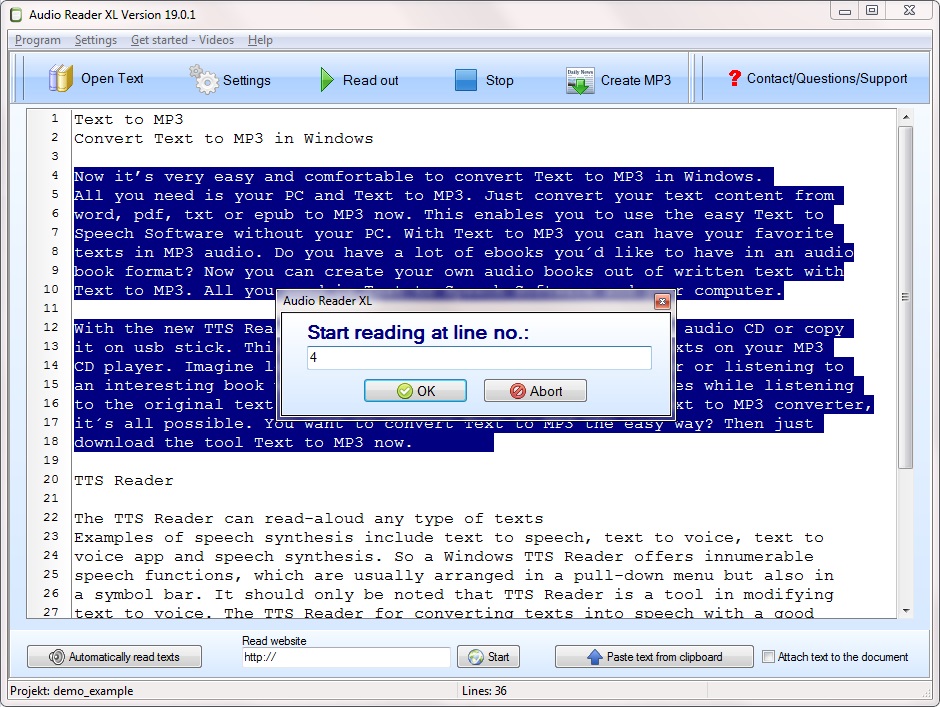
The Audio Reader XL is a program to read text on the computer. You can convert and listen to your e-books directly into speech with the program to read text. For the mobile, smartphone or tablet, you can save the converted audio files to MP3 files so you can listen to them on the go.

On the PC you can use the Audio Reader XL to quickly and easily convert a text format to speech and save it as MP3. It has a wide range of useful text-to-speech conversion features.

Program To Read Text

After the first start of the Audio Reader XL, a project must first be created. Then you can import the e-book into the software for reading texts with the program to read text. Supported are file formats like EPUB, PDF and TXT. It is also possible to load Windows Word documents or a text from a website. Then start the voice output with a click on reading aloud. Pre-installed voices for Windows are ready to use the program to read text. The pitch and speed are easy to adjust.

http://www.ttssoft.org/program-to-read-text/

Program To Read Text English

The creation of MP3 files from digital books is also included in the software scope, if you want software to read text. Converting with the program to read text to MP3 files with around 1000 lines of text takes about five minutes, which is about 150 megabytes in size.

Program to Read TextPhoto shows Program to Read Text

Read aloud Text with the easy to use Text Reader Software

In the new version, Audio Reader XL is a practical companion if you want to protect your eyes and get software to read text instead of having to read it yourself on the screen. You can convert many e-books in one go from program to read text and save them to a computer or mobile device. So that you may want to listen to them later on the way.
The Audio Reader XL is completely available in English. Not only the menus, but also the voice output takes place in an excellent linguistic version. You can easily use a program to read text with almost any text format supported. Or to save the voice file in various audio formats on the hard disk after it has been created by program to read text.
Popular is the MP3 format, which allows listening to converted audio files on mobile devices such as smartphones, tablets and others on the go. In addition to English, since the 2017 version it is also possible to convert texts into other languages such as French, Italian or Spanish into language and to save them in MP3 format. It is not tied to a computer.

Read Word Files with the Program To Read Text

Users who often create texts using Word or a similar text program can easily read these texts with the program to read text to PC or mobile devices. Anyone who has a letter or his thesis in an MS Word document can listen to it after the conversion from program to read text on the way to the control again. The software also allows inserting a reading break after a certain number of paragraphs. You can also use this text reader software as a vocabulary trainer.
The software can be run permanently in the background, so it will be booted up every time you start your computer, so it’s ready to go if you want use the program to read text a lot. So you can read texts from the cache directly by copying them into the software.

Good Voice Aloud Reader with a good Voice in all Languages

A voice aloud reader – what’s that?
The term “Audio Reader XL” refers to a voice aloud reader for Windows, which textbooks or even novels exists or turns, among other things, into MP3 files. Partial lectures such as a clipboard or only specific pages can also be realized. When driving, the user can calmly listen to topics or books that are important to him. The time for self-reading is saved. The user can read every read aloud text, namely from:

  • PDF documents
  • Word files
  • Text files
  • EPUB documents
  • any website

Audio Reader XL is at the same time the term voice aloud reader Windows, which reproduces long and short texts in readable form. It is also possible to change the text to speech. The voice quality is an important point, because a pleasant voice increases the concentration of listening. A robotic voice tempts the listener to digress, sometimes even to fall asleep.

The option read aloud text on the PC even in premium sound quality is optimal. Not only in English, the voice aloud reader is transmitted, but in virtually all common languages reading aloud is feasible. Audio Reader XL provides good voice aloud reader of the computer in various variants, such as PDF files, Word documents and conventional text files. Even beginners in the category Audio Reader can certainly use this program in a short time. If you do not want to sit at the PC, but want to move freely in the room and do other activities, you can read the important texts on the PC. Emails are rendered in the best quality. From an e-book, the user can create an audiobook. Reading texts online is not a problem, even websites can be read correctly; reading in the background is perceived by many users as pleasant.

http://www.ttssoft.org/voice-aloud-reader/

Read out Texts Excellently with the Voice Aloud Reader

This voice aloud reader reads in excellent quality
Noteworthy is the first-class reading aloud with a pleasant and natural-sounding voice. The texts are clearly articulated in excellent English and American. The interested party can set the voice aloud reader to skip selected passages, such as the page numbers or annotations for footers and headers. The presented TTS software is able to read texts of all kinds, simply on the PC. When the clipboard changes, it reads automatically. The possibility exists to start the voice aloud reader automatically with the PC, so that it runs permanently in the background. The new version also allows readers to be used elsewhere.

Voice Aloud ReaderScreenshot about Voice Aloud Reader

Voice Aloud Reader Windows 10

Important for a voice aloud reader are also good features and ease of use.

The presented voice aloud reader Windows has excellent features:

  • any text in the PC can be read out
  • the Voice Aloud Reader includes the Voice Aloud Reader
  • for complete audiobooks
  • conversion to any language easily possible
  • PDF files are read out completely
  • whole websites are presented on request

In the Windows background, the language is paramount, but the user can also switch to another language. If the eyes are tired, just lack the energy to read, create a clipboard and then the required text is loaded into the voice aloud reader and read aloud. For the visually impaired, this achievement is simply awesome. The bookworms can download complete books into the Voice aloud reader and enjoy listening. Anyone who writes long complicated articles themselves will welcome the voice aloud reader, because when listening errors are noticeable, which are usually not so registered when you read it. The downloaded voice aloud reader provides updates with regular updates.

Voice Aloud Reader Audio Reader XL Presentation

A world-class text-to-speech software for versatile uses.
This brand name presents a first-class product, which is easy to use and can be used for almost all text formats. The clearly understandable voice is worth mentioning. The pauses between the paragraphs allow listening without fatigue. The software can be set to operate every time you start the PC. It is comfortable, satisfying and attractive to anyone interested.

Voice Aloud Reader Summary

Can you recommend the voice aloud reader with a clear conscience and why?

Audio Reader XL presents the voice aloud reader in terms of voice and reading quality. For many consumers, reading a lot, especially on the PC, is very tiring, so this kind of reading is often used. Be it to read your own texts for corrections or to read whole books. In all conceivable situations, this software is just perfect. Diverse applications make the voice aloud reader a tireless helper. Whether the template is automatically read or a website offline, everything is rendered in excellent quality. The conversion into MP3 files is quite possible.