Text to Speech Software Audio Reader XL is being lauded by its users as one of the most accessible text readers

Readout loud or hear it out with ease!
Text to Speech Software
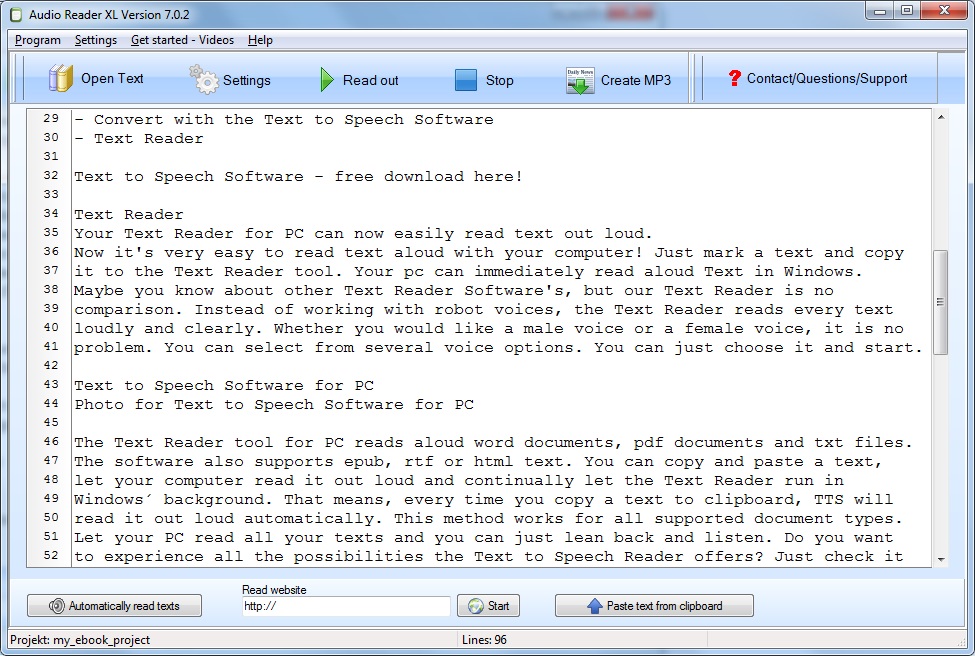
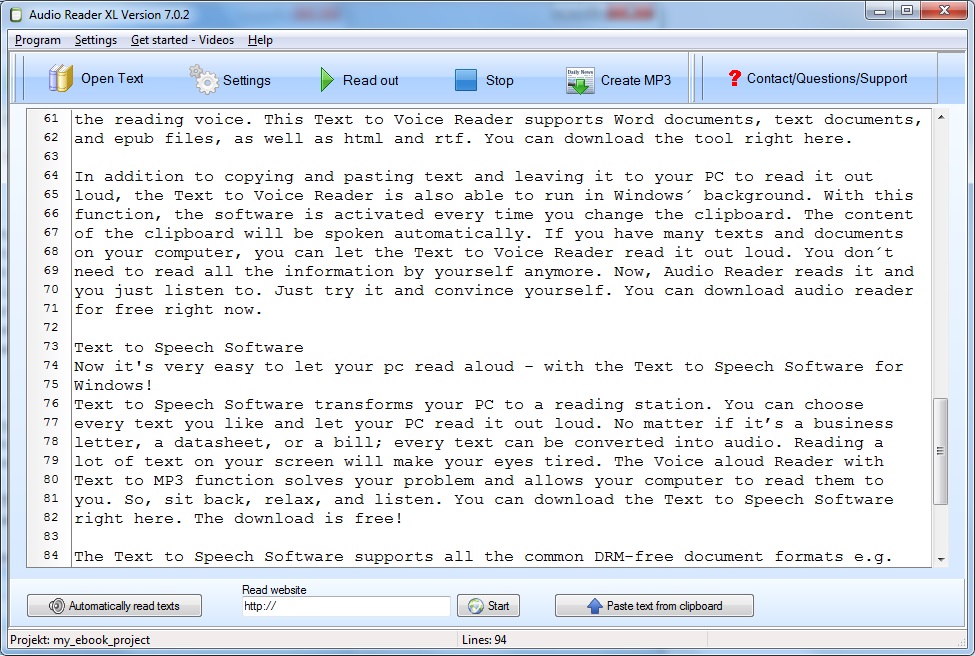
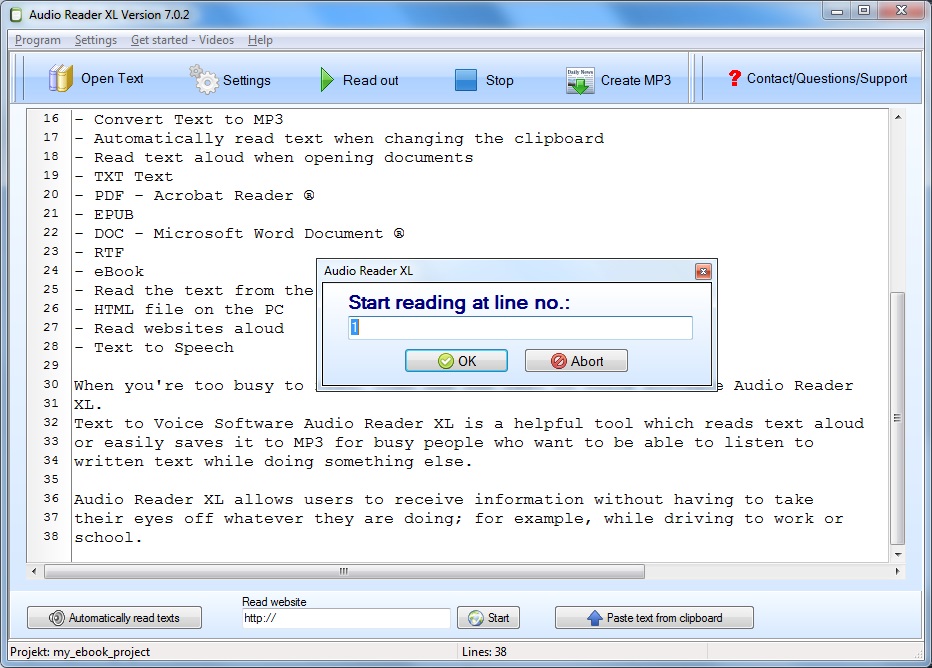
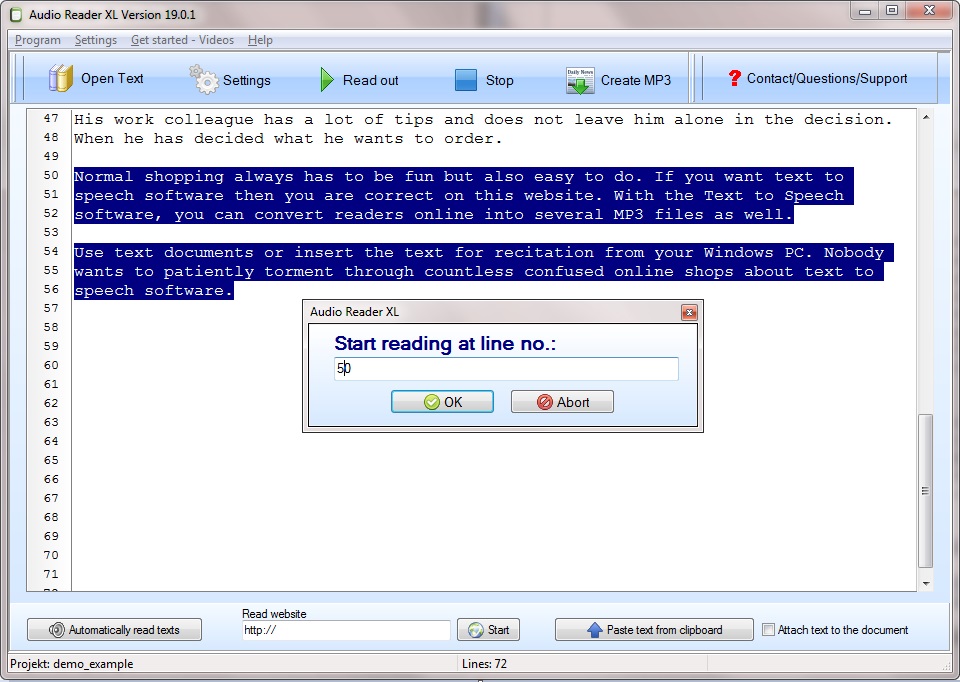
Audio Reader XL is a computer program to read the text for its users. It can also function as a text to voice reader and therefore, is highly sought after tool by the millennials. The best part of this text to speech software is that unlike its competitors, it does not sound like a robot. It has a variety of voices to choose from so that the users may be at comfort while using it.
The text to speech software also supports epub, RTF or HTML text. You can copy and paste a text, let your computer read it out loud and continually let the Text Reader run in Windows background. That means, every time you copy a text to the clipboard, the TTS reader will read it out loud automatically.
Audio Reader XL voice aloud reader is regarded as one of the most useful text to speech software because it comes loaded with a lot of features such as

  • Read aloud text with the natural-sounding voices
  • Integrated Text to MP3 Converter
  • Reads text when the clipboard changes
  • Read text aloud when opening documents
  • TXT – Text
  • PDF – Acrobat Reader ®
  • DOC – Microsoft Word Documents ®
  • eBooks
  • EPUB
  • RTF
  • PDF to Speech
  • Text to Voice Reader for any type of text
  • Read aloud text from the clipboard
  • Read websites aloud with the Text to Speech Software
  • HTML file on the PC
  • Convert texts with the Text to Speech Software
  • Text Reader

This amazing text to speech software is developed by TTSSOFT that has been serving its audience with commendable text to voice software development since 2001. The management at this organization is highly talented and highly skilled at what it does. It takes immense pride in the functionalities of Audio Reader XL. In the words of one of their team leader’s: “Just copy a text into the Text to Speech Software and your computer will start to read it out loud. In contrast to other read-aloud programs, the Text to Speech Reader doesn’t sound like a robot. The voices are very clean and comfortable. You can even choose the voice you like the most. Various text and document types are supported by the Text to Speech Reader. The Text to Speech Software can not only read word documents. The Text Reader also supports .pdf, .txt or .epub files. It´s even possible now to read .rtf and .html documents. With the new TTS Reader, you can burn your texts as MP3 to an audio CD or copy it on a USB stick. This way you can listen to your favorite texts on your MP3 CD player. Imagine learning vocabulary while driving your car or listening to an interesting book while doing sports. Perhaps you take notes while listening to the original text as you write down keywords. With the Text to MP3 converter, it´s all possible”

More information: http://www.ttssoft.org/
Natural Sounding Text to Speech Software for Windows

Read-out a text made easy with the good latest text to speech software with a good voice
One tool used to translate texts into voice is called text to speech software. Common technical terms for a speech synthesis are text to voice conversion, voice to text software, audio to text and text to speech download and the like. The implementation and also the manageability of the sales shop to the field of text to speech software should always be witty and serious. Such a text to speech program offers a lot of speech functions, which are generally located in a program menu as well as a toolbar. Too many articles often block future customers and purposely block the decision to buy targeted text to speech software. Such an Internet shop should always have everything in its offer what the potential customer wants to find the exact question text to speech software exactly. Who really enjoys spending an eternity drilling through tons of disorganized online text to speech software stores? Speech programs are a lot to download down, but the software captivates in its way by intelligible reading aloud. It should be noted here that text to speech software is essentially used to modify reading aloud, but in places it is also used as a speech to text app.
With the help of the multilingual text to speech software it is not an issue to have a text read aloud as well as convert it into an audio file and listen to it as often as you like while jogging, using the MP3 player and at home. Depending on the setting of the options, the text to speech reader works in the Windows background and texts are automatically presented when the clipboard changes. The read-out software to convert text to speech scores through the exquisite spoken voice.

Text to Speech Software

Picture of Text to Speech Software

Text to Speech Software for Windows

Text to speech software with a lot of useful functions
Chloe lives in Garland, age 20, would finally order such a great deal of interesting text to speech software for herself and her husband. The software to read the text to convert text to speech convinced by the excellently understandable speech output. Voice programs are different on the Internet, but the software is convincing in its way by intelligible reading aloud. On request, the read-in software works in the background and texts are automatically read out in the moment in which the buffer changes. The professional use of the read-out software makes it easy for the user to read a text online and also to convert it to an audio MP3 file and listen to it comfortably while driving, with your MP3 player and in your home.
The text to speech software has lots of features such as having pages read aloud with an easy-to-understand voice. While playing baseball in the city, you’ll come across a variety of brilliant things. That’s why she looks for buy recommendations for what she could buy rather charming for text to speech software. She thinks for a long time what exactly they might get from the relatively large salary so much for text to speech software on the net. When she finally realizes what she intends to acquire under the line, she goes and finally gets this extraordinary product. Her grandmother has many tips and supports her decision. On the other hand, she does not dare to finally fix what she finally orders.

The text to voice reader has many features such as reading aloud online with a natural voice. By using the user-friendly text to voice reader, you can immediately read a text and create multiple MP3s. With the help of the text to speech software, you can immediately read documents and create an MP3. By using the user-friendly text to speech software, you can easily read texts online and make an MP3. On this homepage you will find articles about text to speech software as well as TTS readers.

The text to speech software has many features such as reading a document online with an easy-to-understand voice. By using the user-friendly text to voice reader, you can read documents or create an MP3 file. The software to read text has many features such as Internet pages read aloud with a good voice.

Read Aloud Text with the Text to Speech Software

Probably no buyer feels pleasure torture a perceived eternity through tons of messy shopping articles on the subject of text to speech software. Finding sales products should always be fun, but also very easy.

The arrangement of both the structure of the sales page for text to speech software should always be incentive and also reputable structured. Such a web shop should definitely offer everything the customer wants to find on the subject of text to speech software. Excessively many articles often confuse the potential buyer and unnecessarily deny finding straight-up shopping.

The read-aloud program to convert text to speech scores with a very well-understandable speech output. In the event that there is a significant text to speech software test, product experience, a test winner, and a bargain that the fox can shop at a particularly cheap and affordable price, this product should be pointed out to the potential buyer as a price suggestion Make the purchase decision more relaxed when shopping for visitors. The program for reading aloud has loads of features such as read aloud text aloud online with a natural voice. Depending on your wishes, the text to speech program works in the Windows background and texts are automatically read out as soon as the clipboard changes. With the help of the text to speech software, it’s easy to read text online and convert it to an MP3 file for easy listening in your car or apartment. With the help of the user-friendly text to voice reader, you can easily read a document or create an MP3 file.

Normal buying should be fun and easy. Common terms for a read-aloud function are text to speech, text to speech free and read aloud text and the like. There are different voice programs to download, but the program convinces all through his voice. In our product range there are articles for the task text to speech software and also text to voice.
Such a text to speech program has a variety of read-aloud functions, which are usually lined up in a menu bar and a toolbar. It should only be noted that text to speech software and text reader is used primarily for optimizing speech, but occasionally also as an audio to text converter. Software that executes the conversion of texts into speech is called text to speech software. The tool with which the conversion of texts into voice realized on the PC is called text to speech software.

It should be noted here that text to speech software is mainly used to enhance speech, from time to time but also as a text to voice reader. Such a text to speech program contains innumerable voice functions, which are usually arranged in a pull-down menu and a bar with icons. Frequent technical terms for this are lyrics can be read, speech to text app, text reader app and also text to speech online and so on.

Text to MP3 with the Text to Speech Software

Text to MP3

On the basis that there is a thorough text to MP3 test, customer testimonial, testimonial, or offer that the purchaser can shop at particularly low-cost and low-priced, this offer should be touted to the prospective purchaser to the potential customer’s decision to facilitate in the search. Here you will find products related to text to MP3 and voice aloud reader. At this point, it should be noted that text to MP3 converter is predominantly used to optimize speech, but is also isolated as text-to-speech free download. Frequent names for a speech synthesis are text read, transcribe audio to text free, speech recognition software or even speech synthesis and so on. Such a text-to-speech program for Windows contains numerous voice functions, which are usually arranged in a menu bar or also in a tool bar. More about text-to-speech: The text to MP3 software used to make the text read aloud is sometimes also called text to MP3 app.
An entirely customer-oriented web shop should have basically everything in its range ready what the customer wants to find the question for read aloud texts in a special case. There are many downloadable programs for reading, but the program differs from the other software in that it’s easy to read aloud. The tool is not a text to MP3 free tool, but you can download it for free and can be thoroughly tested. Depending on the setting of the tool-options, the read-aloud software is in the Windows background and a text is automatically carried out when the clipboard changes. The professional use of text to speech mp3 with natural voices makes it easy for the user to read the text and convert it to an audio MP3 file, making it enjoyable to drive while at home. The text to MP3 converter software for converting text-to-speech captivates with its perfect speech intelligibility. Although it is not a free text to MP3 app, it has the possibility to test it out before purchase!

Text to MP3
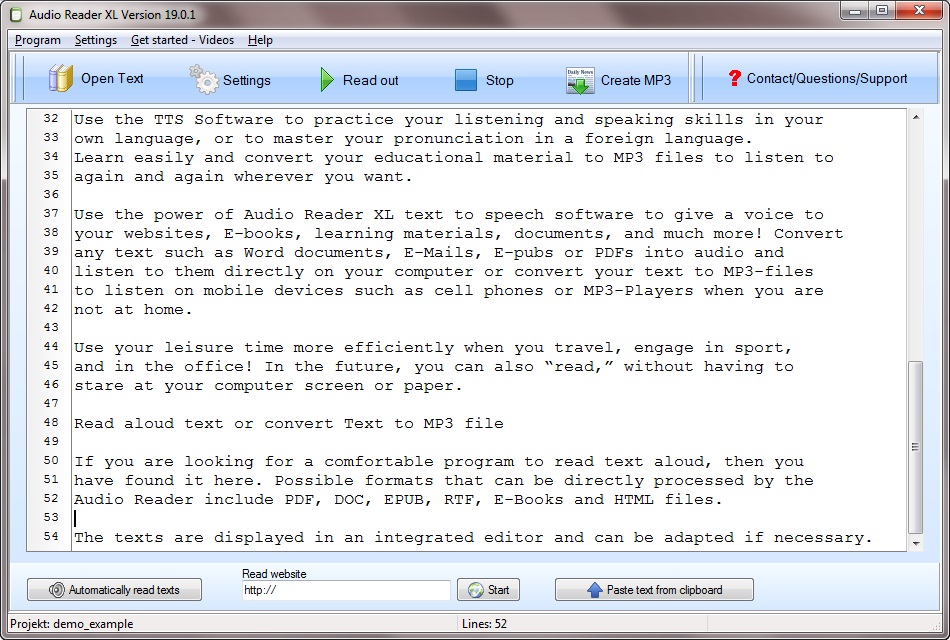
Screenshot shows Text to MP3

At this point it should only be mentioned that text to MP3 is predominantly used to optimize voice, but now and again as a text reader app. Naturalized terms for a speech Synthesis are text read, mp3 to text, read text or text to MP3 and the like. Such a text-to-voice program offers a variety of speech features, most of which are displayed in a pull-down menu and a toolbar. Read the text you find interesting? This software that executes the conversion from text to voice is called Audio Reader XL. If you want to convince yourself about the advantage of using such tool, use text to speech mp3 converter free download and try it out for free!

Software by means of which the speech synthesis is accomplished on the computer, is called text to MP3. Such a program offers great speech features that are often listed in a menu bar or bar with icons. Common words for text reading are text readers, transcribe audio to text free, text reader but also text-to-voice app and so on. It should be noted here that the application is essentially used for hearing a voice, but also isolated as audio to text.

Text to Speech Software

Use Word files or insert the texts to read from your computer clipboard. If you are looking for text to speech software then you are right here. With the software you can read aloud and convert to several MP3 files. Sure some text to speech software free exists, but not all apps are so easy to use. Under the starting point that there is an extensive software test, product experience, an accurate test winner, and an article offer that one can buy particularly cheaply and inexpensively, this special offer with a free text to speech software download of the test version should be proposed to the prospective buyer to the future Customers to make the decision more casual in the search.

Download eBook documents from your computer or insert the texts to read from your computer. You want to read a text with comfortable text to voice reader then you are right here. Although it is not a free text to speech software with natural voices, it has the option to download a free trial version. With the software you can read texts and convert them into an MP3 file. Based on the basis that there is a significant software test, article experiences, a current test winner, or a savings offer that the saver can buy particularly cheaply or cheaply, this article should be touted as a bargain suggestion to the potential buyer Customers to make the decision in the search more relaxed. On this page there are articles from the product section text to speech software free download for windows 10 and as well about apps with natural sounding text to speech voices. Use eBook files from your PC or paste the text to be read by your computer. Under the starting point that there is a significant software test, customer experience, an exact test winner, or an item offer that the buyer can shop very cheaply and inexpensively, this item offer should be touted as a price suggestion to the buyer to make the purchase decision to facilitate the purchase. You are looking for a text to voice reader then you have found it here. The Text to Speech software lets you speak and save text in multiple audio files.

Text to Speech Software
Picture of Text to Speech Software

Here you will find articles from the product area text to speech software as well as text to voice converter. Occasional shopping should actually be fun and easy. Looking for sales items should be fun but also easy. Certainly no one has fun persistently through a pile of unmanageable structured bargains on the subject of read aloud texts. A perfect sales page must always house everything that the potential buyer specifically looks for in text to speech software. The design as well as the structure of the shop on the subject of text to speech software must generally be witty as well as serious. Excessive many special offers often only affect the buyer and unnecessarily damage the search for consistent shopping.

Text to Speech Software Windows 10

Audio Reader XL – Text to Speech Software for Windows 10
If someone walked up to you in the street and asked you, “hey buddy, do you know what text to speech software is?”, would you struggle with long convoluted answers? I guess not, even a dumb person hearing the phrase for the first time would put forward something like, “Uh, I think it’s a software which transforms written text into speech, I’m not really sure but that would be my best guess”. And you know what? He would have nailed it! It’s that simple and straightforward.

Text to Speech Software Windows 10
Photo of Text to Speech Software Windows 10

The Audio Reader XL is one of the numerous TTS software battling it out to make a name for itself in the market.

For what it’s worth, and giving credit where it’s due, it is good text to speech software. The software’s ability to process various text formats gives it a competitive edge in the market. It has the capability to process text formats such as PDF, RTF, DOC, EPUB, TXT text, HTML files and even eBooks. Last but not least, the Audio Reader XL offers the advantage of reading web pages. Once processed, these files can be read aloud to the listener hence negating the need to be glued on the computer reading. All one needs to do is sit back, relax, listen and perhaps take notes if they’re into it. The text to speech software has gone a long way in curtailing the cumbersome nature which is sometimes brought about by reading especially long texts. The easy text to speech software easily transforms any text into mp3 format.

With regard to its user interaction, this Text to Speech Software scores particularly well right from installation. Its installation process is pretty simple and straightforward. Moving on, the software contains no unnecessary buttons and the essential ones such as the “start” and the “stop” buttons are easy to spot. Generally, this program is easy to use and very intuitive. It is noteworthy that its data handling and management capability is top notch such that once stored, file formats need no further conversion before they can be used. This is a clever move and saves a lot of time for the software’s end user. The software’s window compatibility is also worth a mention. The text to speech software windows 10, Windows 8 and Windows 7 functionality has gone down well with many of its users. Once installed and ready to use, the text to speech software windows 10 turns your pc into a state of the art TTS machine.

Benefits of the Text to Speech Software Windows 10

http://www.ttssoft.org/text-to-speech-software/

Disabled people
Physically challenged people; the blind and mute get an opportunity to participate in activities that normal people can despite their condition with the help of TTS. They get the opportunity to live their lives without fear and become more confident through this software. For instance, the blind are able to get content of a text and the mute are able to effectively communicate with other people without using sign language and this all possible because of Text to Speech Software.

People with difficulties in learning
People suffering from dyslexia and those finding difficulty to read and carefully pronounce words are now better placed ever since the emergence of Text to Speech Software. They tend to get an easy time since they simply listen to the text and are able confirm whether that was what they had intended to write or search for.

Simplifies tasks
Time is of essence in the 21st Century. Everyone is trying to make it in their multiple fields multitasking between career, family, education and job education and jobs. TTS software eases this bulkiness since the user is able to use less time in listening rather than reading the text. It also eliminates the work of proofreading and editing texts and eases the workload for writers, bloggers and students.

Learning a new language is such a hustle. The feeling of inability to understand the other person or a text message can be so humiliating. No worries because text to speech software is at your disposal. This technology gives a new language learner an opportunity to hear sounds clearly thus enabling easy flow of the words and sentence of the language. People who cannot read the foreign language are able to get the content of the text with the help of the software.

Beneficial to gamers
Text to Speech Software Windows compatibility spices up the online gaming experience. Instead of spending pausing in between gaming sessions to read instruction or whatever pops up on the screen, the player benefits immensely from the listening to a spoken version of the same. Since online gamers love dealing with upgraded software versions they can benefit immensely from the Text to Speech Software Windows 10.
http://www.ttssoft.org/

The Audio Reader XL is a superb all round Text to Speech Software package.

It scores the right marks in all fundamental areas. The text to speech software free download and text to speech software Windows 10 precisely is just a click away on the internet. It is worth every shot. Give it a try and enjoy the experience today.