Extensive Text Reader Software for Word Documents

Use excellent text reader software with your Word documents and have your written content read aloud to you.
If you are a student working on research papers or a professional dealing with heaps of reports, this software can be your extreme time-saving tool. By simply installing this software on your computer, you can instantly turn any Word document into an audio file that can be played back to you.

Gone are the days of manually scrolling through pages of text or using the “read aloud” function in Word, which often results in robotic and monotone voiceovers. You can also customize the color and font of the text for a more comfortable reading experience. All of these features make it possible for you to multitask while listening to your document being read out loud, saving you time and energy.

Empower Your PC with Text Reader Software for Undemanding Reading

Empower your computer with text reader software that enables untroublesome and accessible reading experiences.
Empower your computer by adding this powerful tool, and you will never have to struggle while reading lengthy documents again. Not only does it save time and effort, but it also eliminates the barrier for individuals who have difficulty reading due to visual impairments or learning disabilities. Further helpful advice on our websites: https://www.ttssoft.org/text-reader-software/ and https://www.ttssoft.org/. This software is not limited to Word documents only. It can read out text from a wide range of file formats, including PDFs, websites, and ebooks. This means you can access information from various sources without worrying about compatibility issues. It also comes equipped with advanced features like text translation, which allows you to listen to text in different languages, making it a valuable tool for language learners and professionals. With so many customizable options, this software can cater to the needs of individuals of all ages and backgrounds.
Text reader softwareProduct image: Text reader software

Advantages of the Text Reader Software Audio Reader XL for Windows PC

Audio Reader XL for Windows PC offers several advantages that make it a valuable tool for users seeking a versatile and efficient text reader software solution. Here are some key advantages:

  1. Multi-Format Support: Text reader software Audio Reader XL supports a wide range of document formats, including text documents, PDFs, eBooks, and more. This versatility allows users to listen to content from various sources without the need for format conversion.
  2. Ease of Use: The text reader software provides a user-friendly interface, making it accessible to individuals with varying levels of technical expertise. Its intuitive design ensures that users can quickly navigate and utilize its features without a steep learning curve.
  3. Text-to-Speech Conversion: The primary function of Audio Reader XL is text-to-speech conversion. It can convert written text into natural-sounding audio, providing an alternative way to consume content for individuals who prefer listening over reading.
  4. Accessibility Features: This text reader software enhances accessibility for individuals with visual impairments or reading difficulties. It opens up a world of information to those who may face challenges in traditional text consumption.
  5. Offline Mode: Audio Reader XL offers an offline mode, allowing users to listen to content without requiring a constant internet connection. This is advantageous for users who need to access content in various environments.
  6. Document Navigation: Users can easily navigate through documents, skip sections, or replay specific parts. This feature provides control over the listening experience, allowing users to focus on specific content as needed.
  7. Regular Updates and Improvements: This text reader software is actively maintained and updated, ensuring that users benefit from the latest features, improvements, and compatibility with new document formats.
  8. Educational and Professional Applications: Audio Reader XL text reader software is a valuable tool for students, professionals, and anyone who needs to consume large volumes of written content. It can be used for educational purposes, research, proofreading, and more.

Improve Pronunciation Skills with Text Reader Software

Hone your pronunciation skills by listening to accurate text-to-speech conversions provided by text reader software.
This is particularly beneficial for non-native English speakers who may struggle with certain words or sounds. With the help of text reader software, they can hear the correct pronunciation and practice it themselves, terminally improving their language skills.

Moreover, text reader software often comes with useful features such as adjustable reading speeds, highlighting of words as they are read, and access to pronunciation dictionaries. These tools can be especially helpful for language learners, as they allow them to adjust the reading speed to their level and understand the correct pronunciation of unfamiliar words.

Dive into the World of E-Books with Text Reader Software

Immerse yourself in the generation of e-books with text reader software, which can read your digital books aloud for a more engaging experience.
E-Books have revolutionized the way we read and access information. They offer a vast selection of reading materials at our fingertips, making it easier to carry multiple books without the added weight. However, for individuals with visual impairments or reading difficulties, e-books may not be as accessible. This is where text reader software comes in. With text reader software, e-books can be converted into audio, allowing individuals with reading challenges to listen to the text instead. This not only makes e-books more accessible but also provides a more enjoyable reading experience. Users can choose from different voices and accents, making the listening experience more engaging and interesting.

Furthermore, text reader software can also help individuals with learning disabilities, such as dyslexia, by providing a more multisensory approach to reading. By listening to the text being read aloud, they can better comprehend the content and improve their reading skills. In conclusion, text reader software offers numerous benefits, including improving pronunciation skills and making e-books more accessible. It is a valuable tool that not only enhances the reading experience but also makes learning and accessing information more efficient and inclusive. In case for educational or personal use, text reader software is a must-have for anyone looking to enhance their reading experience.
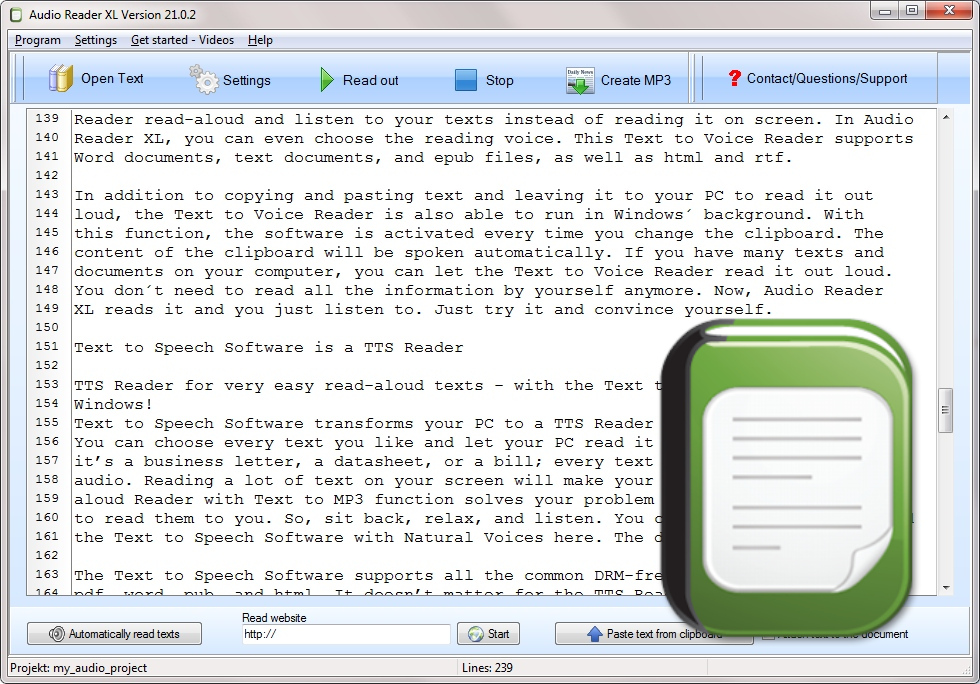
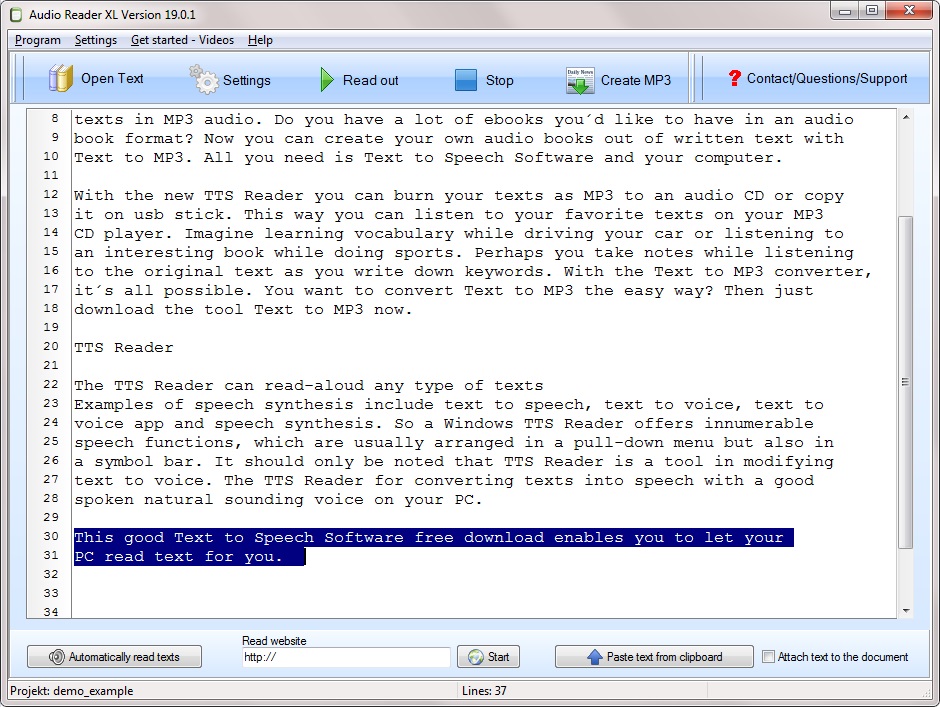
English Text Reader Software with Natural Voice

English Text Reader Software with Natural Voice Provides Users with a Convenient Way to Get Texts in Spoken Language.
In an era where information plays an increasingly central role, it is crucial to find productive ways to consume texts. Reading lengthy documents can be time-consuming and often requires high levels of concentration. But what if there were an easier way to absorb information? An English text reader software with a natural-sounding voice could be the solution.

It uses advanced text-to-speech technology to present written words in natural, human-like sounds. The quality of the voice plays a crucial role. A natural voice provides a pleasant listening experience and better content comprehension.

The benefits of English text reader software with a natural voice are diverse.
It significantly enhances efficiency in studying, working, or simply reading news articles. Time savings are evident as listening can be faster than reading. This is especially useful when sifting through diverse academic papers or business reports.

Furthermore, text reader software with a good and clear voice contributes to accessibility. People with visual impairments or learning difficulties can make texts much more accessible in spoken form. It promotes inclusivity and allows everyone to access the same information.

Text Reader Software for Windows with Text-to-Speech Functionality

This text reader software for Windows PC boosts productivity.
Windows operating systems offer a wide range of applications and features that allow users to personalize and enhance their computer experience. One of these useful features is the Text-to-Speech (TTS) function, which converts text into spoken language. A text reader software for Windows with Text-to-Speech functionality uses this Windows feature and offers solutions for those who prefer to listen to their texts rather than read them.

Integrating Text-to-Speech functionality into the Windows operating system significantly expands its capabilities. It allows users to experience texts in spoken form in various applications and file formats. Whether it’s emails, web pages, documents, or eBooks, a good text reader software recommendation turns reading into a multisensory experience.

Another significant advantage of text reader software for Windows is user-friendliness. Integration into the operating system means you don’t need to install additional software. Instead, you can activate and customize the TTS function directly from your Windows computer’s settings. You have control over the voice, volume, and speaking speed.

When having texts read aloud, users of the tool can simultaneously perform other tasks or focus on the content instead of staring at the screen. This is very helpful for people who work extensively on a laptop and want to relieve their eyes.

Main Features of This Text Reader Software:

  • Text-to-Speech technology for converting text into spoken language.
  • User-friendly menu structure in the text reader software for ease of use.
  • Natural and easily understandable voices.
  • Supports various text formats such as eBooks, documents, and web pages.
  • Supports many file formats for reading aloud.

Advantages of This Text Reader Software:

  • Increased Efficiency: Reading texts with the text reader software while doing other activities or on the go.
  • Enhanced Education: Improves learning through listening and allows for listening to educational materials.
  • Boosted Productivity: Professionals can have texts read aloud to spot errors or absorb information.
  • Reading Enjoyment: Transforms eBooks into enjoyable listening experiences and makes reading more pleasant.
  • Versatility: Supports various text formats and operating systems.

Disadvantages of This Text Reader Software:

  • Dependency on Technology: Excessive use of text reader software can impact one’s reading and comprehension skills.

Conveniently Have PDFs Read Aloud with This Text Reader Software

With the assistance of text reader software for PDFs, you can enjoy the entire content of a PDF file in spoken form.
PDF files are widely used in the current digital multimedia world for various types of content, including books, reports, manuals, and forms. However, reading PDFs can sometimes be cumbersome, especially when dealing with extensive documents. This is where text reader software comes into play, allowing you to have PDFs conveniently read aloud.

This is particularly practical when you are on the go or simply want to relieve your eyes. Instead of following the text on the screen, you can simply listen to it.

Good text reader software for PDFs offers numerous features to enhance your experience. Users can choose the voice they prefer, adjust the speaking speed, and even highlight specific passages for easier reference later. This allows for customization to your needs and preferences.

Moreover, an excellent text reader software for PDFs supports various languages and file formats. This means you are not limited to English and can easily have PDFs read aloud in other languages. Whether you want to enjoy scientific articles, business reports, or fiction, such a program is available.

In summary, our text reader software for PDFs provides a convenient and efficient solution for having PDFs read aloud.
It can enhance your listening pleasure, relieve your eyes, and allow you to consume texts in various ways. If you are looking for an option to make better use of PDFs, such software is definitely worth considering.

Popular Text Reader Software includes:

  • Audio Reader XL
  • ReadSpeaker
  • Natural Reader
  • Amazon Polly
  • JAWS (Job Access With Speech)
  • NVDA (NonVisual Desktop Access)
  • Google Text-to-Speech
  • Kurzweil 3000
  • Ivona Text-to-Speech
  • Balabolka
  • VoiceOver (for macOS and iOS)

The Best Text Reader Software – For Windows PC

Best text reader software for PC and pros to practical text to speech
A few people like to possess post varieties read through out with the unit whenever they pay attention and others don’t. The app can easily use any appropriate gadget, permitting them to listen to publications in their shower, even though people are actually occupied in their kitchen space or maybe while steering. You can then choose to spare that speech in the form of an MP3 report to look through eventually.

The Best Text Reader Software – Top 5

A very good website that provides the best software best text reader software https://www.gameenflame.com/best-text-to-speech-software-for-windows-pc/ is here. There, many programs in the field of TTS are tested such as Panopreter Basic, Audio Reader XL, Balabolka, Zabaware and NaturalReader and the winning software is chosen. This authorizes us to paste in text directly from their clipboard. There certainly are actually a variety of uncomplicated established possibilities when we have actually accomplished the transfer to make sure that they can easily get going in a manner the suits your personal tastes.
All voice features this clarity of any usual human voices, which makes any phrase very easy to understand. TTS software is generally a common program right now and also is generally that primary of primary voice associated modern technology nowadays.

In Which Areas Is the Text Reader Software Utilized?

Whether anyone are truly convert text to voice with a clear voice together with text reader software for your site or only their very own usage, programs are able to allow you convert text to voice with a clear voice this site
Doing this permits one to individualize their very own popular speech which will certainly read through any sort of item of text message audibly. Users who have Windows 10, 11 or 8 on their personal computer are served for, given that the application is going to also work with these systems. That may likewise read out text message saved money on your computer including these in various other formats. This stuff is definitely that makes it differ from almost all some other TTS software. That capability to listen to this information as early as it is certainly released, therefore allowing and also assisting an extra multi-tasking environment. Enjoying to that text aids to eliminate errors and also triggers extra brainstorming to create clean suggestions.

The text reader software can be utilized in equally as numerous differed and strongly personalized objectives. Our text to voice software application can also be much better called a type of voice formation that acquires message, transforms it into seem, and also launches it being communicated terms. That sophisticated design of the tool need to be actually quickly user-friendly for any kind of Computer individual that prefers an easy to function text reader software https://www.terraproxx.com/text-to-speech-reader/ system. With this text message to voice software application, stressing my minds to check out tiny text will definitely be a distant memory, download it currently for free.

Standards of best text reader software:

  • Text reader software ought to satisfy the details necessities of the person or organization
  • Must be trusted and durable
  • Text reader software ought to be on a regular basis upgraded and strengthened
  • Should be pliable and adjustable
  • Software ought to be quick and easy to know and utilize
  • Must be easy to uninstall and install
  • Programs ought to be affordable and cost-effective
  • Must be effectively recorded and uncomplicated
  • Should be properly managed and reliable
  • Programs need to be reliable and durable
  • Text reader software must be versatile and adjustable
  • Should meet the certain necessities of the customer or even organization

Text Reader Software – What Users Need to Learn

Text reader software free download to read websites, ebooks and more
A hectic life often translates to anyone don’t have as much opportunity to carry out all of this reading as they would certainly enjoy or like to take part in. It will definitely work with a report on our home computer as well as can easily also read through websites aloud for people therefore they do not have to consider their monitor to abbreviate our contents. In some cases, the absolutely free text reader software https://www.text-reader-xl.com/ with natural voices is certainly used to read through out a writing that can be used to go along with an online video. As such, each of this text message people take into this technique will definitely appear seeming wonderful. Such as, this tool may be used along with Windows 10 if really wanted. The sound report made by the read audibly function can easily also be actually stored within an MP3 report to be listened closely to later on.

Be enough to say, get anybody a text to voice reader whenever people are actually often as well exhausted or even careless to read short articles or novels live. We are usually made it possible for to experience text digital document including web mails, internet site content, and some other crucial files with terrific satisfaction as well as without struggle likewise a typical customer carries out. As office or school room purposes, you will also select in which note amount to launch type coming from the setups selection. Except this general functionality, text reader software may likewise change standard content into MP3 if as well as the second requested. Still, their attribute to holding the audio data could be helpful for anybody, for any time they wish to return to their content free from needing to find a long piece of text message.

Text Reader Software and Program to Read Text

One point to bear in mind is that text reader software for professionals will be a bit source intensive, so if your PC is running low on memory or handling power, it may not be the most effective option.
Text to speech or the additionally called speech synthesis is the artificial development of a human voice. This transcription offers a variety of exclusive articulation symbols, so users should understand intonation key to every articulation attributes to be able to pronounce words appropriately. A voice acknowledgment text reader software is in a step-by-step procedure that allows the consumers taking it recognize the foreign language and pronunciation. The method will certainly support users to minimize eye pressure significantly from excessive reading. Term pronunciation content to speech, recognized as text reader software, can turn any kind of composed content such as website, email messages, word papers, and PDF documents into talked phrases. People using visual and reading issues were the original adopters of transforming text to speech. Text-to-speech technology allows in reviewing out loud vocabulary that provides terms on PCs, smartphones, laptops, and other vital devices. The text reader software is the easy text to voice option for individuals who intend to have messages read out to them. It helps make the entire body straightforward to use regardless if you intend to spare data to listen to later on. So, following time if you intend to make use of those substantial phrases while trying to excite a person, do not think twice. Voice recognition text readers has no limitation even to those in the scientific area.

Text reader softwarePicture shows the text reader software

What People Should Know About Text Reader Software

Several text readers are created regarding a specific objective, such being checking out web pages and content.
Additionally, it is practical to depend on text reader software for those that choose to find out via a multisensory experience of listening and observing. So, for educators, pupils, researchers, legal experts, commuters, pickup vehicle drivers and users of a selection of occupations and profession, the content to audio documents function is a need to need to regain their wasted time. This TTS readers are obtainable concerning download on computers and portable devices. The most effective feature is to obtain text reader software that renders from as several sources as possible. Here is a regularly made use of intonation adjustment listing that people can import to your terms pronunciation words to speech text reader software. It enables anyone to keep your e-mails, papers, research product or any kind of words in WAV layout on portable tools. For the writer that features difficulty utilizing pronunciation, this innovation makes it easy to learn how words are noticable properly.

Purchasing an excellent, trustworthy text reader software allows on our journey for better speech overs by having quality AI. Here is what makes it stand apart from most some other TTS software. Special text readers have the ability to execute cyclopedia look ups, feature magnifying glass tool, transcription device. The text reader software might be designated to speak a text out loud, or a text-to-speech trainer may be taken as a mentor tool.

Easy Convert Text to MP3 with a Natural Voice and Text Reader Software

Some text readers are constructed for a specific objective, such being reviewing website and articles.
If users choose your favored text reader software, you might additionally consider these minor features. The text reader software with high precision would certainly read aloud text effectively and create understandable text. A standard feature of text reader software is transforming written words right into voice.

It resembles a cost-free service readily available for individuals all throughout the world. Currently words users specified will constantly be articulated as the brand-new pronunciation. If choosing text reader software anyone must inspect what it can check out. For a great deal of people, the advantage is access to a variety of software, which indicates a large range of usages. Use their available text message option and permit this text reader software do his very own work though you can easily kick back.

The other vital feature of any kind of document to voice solution is its emphasis on adaptability. The result is that text reader software that our staff possess right now. This quality of message to speech transformation is approximated by its similarity to a human voice, and by it is ability to be realized.

Great Text Reader Software for all Text Formats

Text Reader with clear natural voice
If you want your computer to read a text on the screen, you need a program that is a text reader. These programs fall into the category TTS, which stands for Audio reader. To protect the eyes, you do not have to read a text on the computer by yourself, but just have it read aloud, which is easily possible with the software Audio Reader XL. You can read a complete novel or just a Word document. Even a non-fiction book or any text from the Internet can be listened to with this program, which converts text to voice. Audio Reader XL has a clear and easy-to-understand voice output, which is not obvious when you think of other software that is more reminiscent of a robot. When you use a text reader, you can not only listen to texts, but also save them to an audio file, such as MP3.

https://www.ttssoft.org/text-reader/

Read Texts in Windows with the easy to use Text Reader

Windows versions from Windows XP can use the Audio Reader XL application to hear a voice with the text reader. Texts can either be read out at the touch of a button or converted into an MP3 file, as Audio Reader XL directly includes a tool for creating audio files. For example, e-books created in audio files using the Audio Reader XL can be played back on your portable MP3 player so that you can listen to them on and independently of a computer. Of course you can burn these files from text reader converted to a DVD or CD and listen to it with the car radio. Even on your smartphone or tablet, you can access these files on the go. The software also allows converting PDF, Word documents or EPUB from text reader.

Text ReaderPhoto shows the Text Reader

Text Reader English

If you want to translate a text with the text reader, the Audio Reader XL program allows you to converge texts
Completely automatically have thrillers read or a story translated from text reader when you’re in bed. It is very easy to use the software and to read texts in all formats. If you have created an audio book yourself, convert the text to mp3 and let your friends and acquaintances share it. The conversion from read aloud texts requires only a few mouse clicks. You can also insert pauses in existing texts before they are converted. You can also choose from different reading voices here.

Read aloud Text can solve with Text Reader

The Audio Reader XL reads any text directly to your computer. This cannot be just an existing text. It can also be extracted from an MP3 file. No external audio converter is needed to convert, as all features are already integrated with the TTS conversion software. There is little text reader software with a voice reproduction in this high quality at this cheap price in the market. For different Windows versions you can download from the Internet.

Program To Read Text

Simply program to read text with the text reader software
The Audio Reader XL is a program to read text on the computer. You can convert and listen to your e-books directly into speech with the program to read text. For the mobile, smartphone or tablet, you can save the converted audio files to MP3 files so you can listen to them on the go.

On the PC you can use the Audio Reader XL to quickly and easily convert a text format to speech and save it as MP3. It has a wide range of useful text-to-speech conversion features.

Program To Read Text

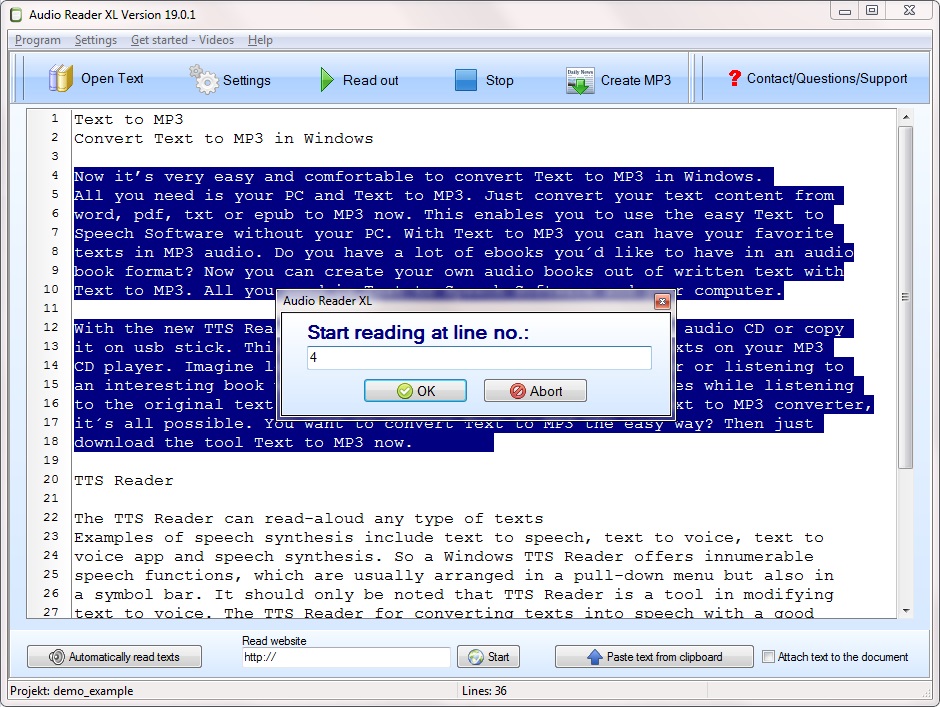
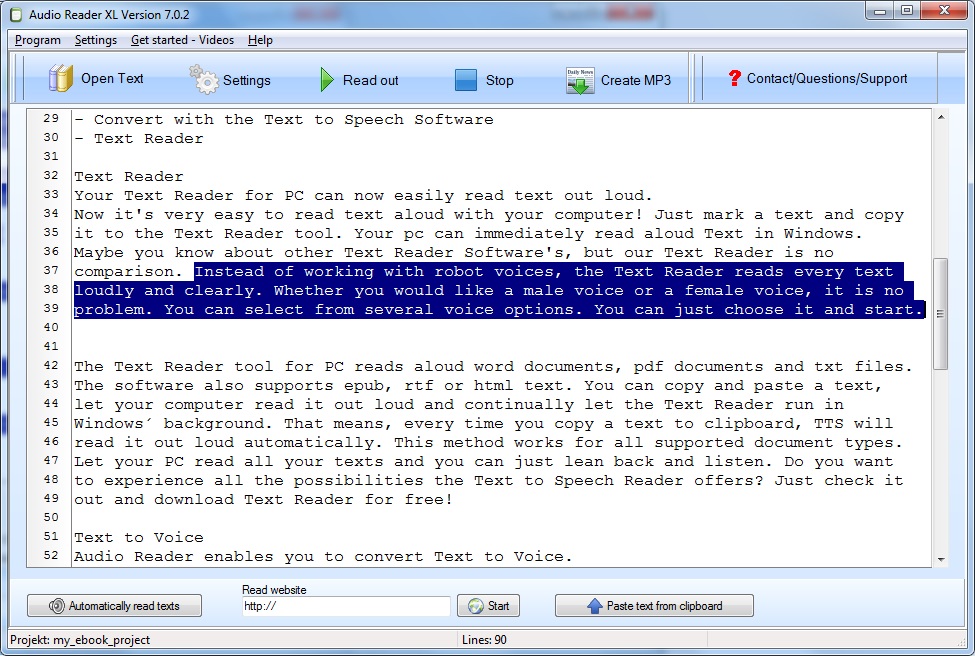
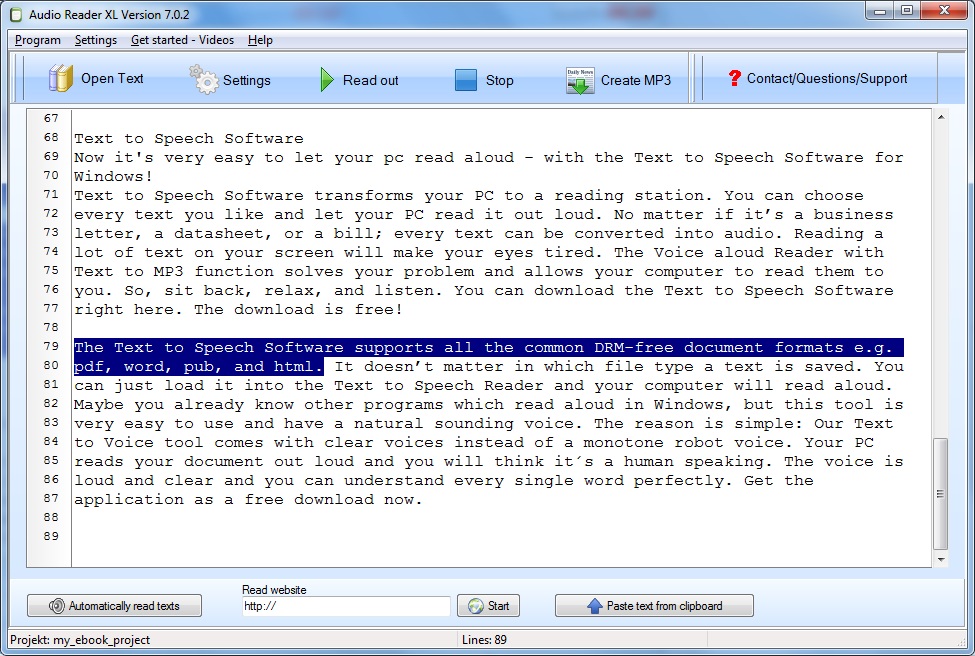
After the first start of the Audio Reader XL, a project must first be created. Then you can import the e-book into the software for reading texts with the program to read text. Supported are file formats like EPUB, PDF and TXT. It is also possible to load Windows Word documents or a text from a website. Then start the voice output with a click on reading aloud. Pre-installed voices for Windows are ready to use the program to read text. The pitch and speed are easy to adjust.

http://www.ttssoft.org/program-to-read-text/

Program To Read Text English

The creation of MP3 files from digital books is also included in the software scope, if you want software to read text. Converting with the program to read text to MP3 files with around 1000 lines of text takes about five minutes, which is about 150 megabytes in size.

Program to Read TextPhoto shows Program to Read Text

Read aloud Text with the easy to use Text Reader Software

In the new version, Audio Reader XL is a practical companion if you want to protect your eyes and get software to read text instead of having to read it yourself on the screen. You can convert many e-books in one go from program to read text and save them to a computer or mobile device. So that you may want to listen to them later on the way.
The Audio Reader XL is completely available in English. Not only the menus, but also the voice output takes place in an excellent linguistic version. You can easily use a program to read text with almost any text format supported. Or to save the voice file in various audio formats on the hard disk after it has been created by program to read text.
Popular is the MP3 format, which allows listening to converted audio files on mobile devices such as smartphones, tablets and others on the go. In addition to English, since the 2017 version it is also possible to convert texts into other languages such as French, Italian or Spanish into language and to save them in MP3 format. It is not tied to a computer.

Read Word Files with the Program To Read Text

Users who often create texts using Word or a similar text program can easily read these texts with the program to read text to PC or mobile devices. Anyone who has a letter or his thesis in an MS Word document can listen to it after the conversion from program to read text on the way to the control again. The software also allows inserting a reading break after a certain number of paragraphs. You can also use this text reader software as a vocabulary trainer.
The software can be run permanently in the background, so it will be booted up every time you start your computer, so it’s ready to go if you want use the program to read text a lot. So you can read texts from the cache directly by copying them into the software.

Text Reader Software and Text to Voice Software

Text Reader Software

Probably no customer has the nerve to long for a large number of unclear designed shopping articles on the topic of text reader software for Windows 10 or text reader software for Windows 7 to forestall. You need a reading-out software then you are right here now. With the read-aloud software you can have PDF read aloud but also convert it to an audio file. Use PDF documents from your PC or paste the text to be read from your computer clipboard. Finding articles about english text reader software free download must always be fun and effortless. Which buyer has fun to purposefully torment by a bunch of chaotic structured special offers to the field of read-aloud-software and about the question whether it is this best text reader software for PC? However, a perfectly customer-oriented online store should, in general, have everything in its range that the person wants to find specific to his software. The presentation as well as the manageability of the buyer’s shop via text reader software should in principle be instructive as well as straight-lined. Excessive numbers of products often affect people and unnecessarily interfere with choosing to buy text reader software with purpose.

Text Reader Software
Image of Text Reader Software

Here you will find products for the task text-to-speech software as well as read aloud text. There are tons of downloadable voice programs, but the software is impressive in its own way through his voice. Depending on your requirements, the text reader software works in the Windows background and texts are read automatically, the moment the Windows buffer changes. By using the help of the voice reader, it is easy for the user to read a text online as well as convert it into an audio MP3 file and enjoy it while driving, with your MP3 player and at home hear. The program to convert text into voice impresses with its exemplary spoken voice. You can get a lot of free text reader software, but this software has a lot of great functions and it is really outstanding easy to understand!

However, a web shop should generally show everything that the customer is looking for in text reader software. The presentation and also the distribution of the buyer’s shop for software should, however, be generally accommodating and tidy. On our homepage you will find articles from the product range text-to-speech software. Open eBook files or insert the text to read from your Windows PC. Provided that there is a lavish test to text reader software, customer experience, a possible test winner, and a special offer, which the fox can buy cheap or cheap, this special offer should be advertised to the potential buyer to the prospective buyer make the final decision when shopping more relaxed. You are looking for a text to voice reader then you are correct on this website. With the text reader software you can read text as well as save it in several audio files.

Text to Voice Software

Common names for text reading are text to voice software for PC, read text aloud, text-to-speech but also voice aloud reader or text to voice software for Windows 7. Such a program offers countless speech functions, which are generally lined up in a software menu but also in a toolbar. It should only be noted here that speech synthesis software is predominantly used to process aloud from reading aloud, but also isolated as a read out text. The tool with which the text can be read on the PC is called Audio Reader XL. Text to voice software free download do you find interesting? Such a program offers numerous speech functions, which are often located in a program menu or in a toolbar. Common terminology for speech synthesis is text to voice software, voice recognition software or read text aloud et cetera.

Here it should only be mentioned that text-to-speech is mainly used for editing according to reading aloud, now and then as well as speech recognition software. This app is not a text to voice software free application, but it is worth a look! Here you get the trial version of text to voice software free download for windows 7 and so you can convince yourself about the advantages of that easy to use app.
With the easy-to-read text to voice reader, you can easily read documents online and create multiple MP3s. The text reader has countless features such as reading eBooks with a good voice. Frequently read technical texts for text are text reader, read-aloud, text to voices or transcribe audio to text free et cetera. Such software for Windows has many speech features that are normally displayed in a software menu and a toolbar. It should only be noted that text to voice software is crucial for changing the voice used, but sometimes as text-to-voice.

Text to Voice Software
Image shows Text to Voice Software

Usual terms for a speech synthesis are text read out, text to voice online, TTS software and as well as TTS. So a Windows application has tons of voice features that are often located in a software menu as well as a toolbar. At this point, it should only be noted that text to voice software Windows 10 is used authoritatively for the processing of speech, but also as speech to text.

In any case, finding merchandise needs to put you in a good mood and still be easy to do. Probably no one has fun to ambitiously drill through a bunch of cluttered special offers via software. A sales page should always house everything that the buyer is looking for on the subject of text to voice software in special cases. The presentation and the structuring of the sales page on the subject of text to voice software should in principle be colored and also appropriately structured. Far too many special offers amaze the future customer often and unnecessarily restrict the choice when rationally shopping a text to voice software or leave them alone with the question is this the best text to voice software for every one? Out there are a lot of free text to voice software, but this is a goof-proof tool for a cheap prize!